1. Remove housing
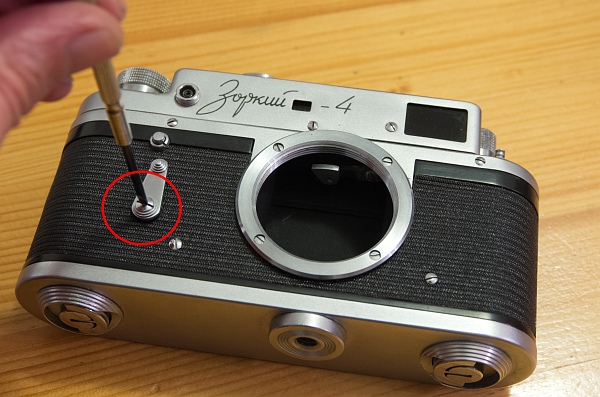
The first thing to do is to remove the self-timer. Right-hand thread, the later Zorki 4K has a left-hand thread.
The screw, the lever, a plastic spacer and a thin rubber seal are revealed.
Remove the two housing screws (left) and (see below) the 4 screws of the lens mount.
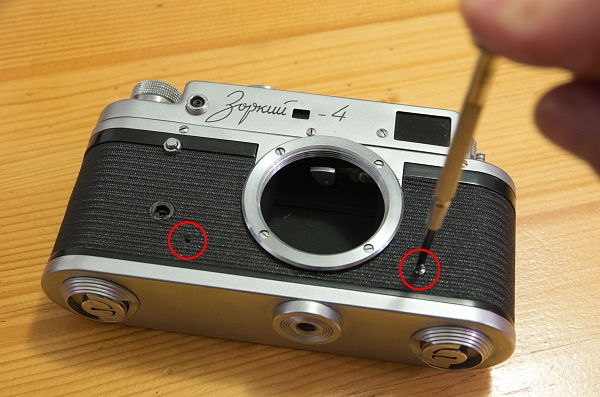
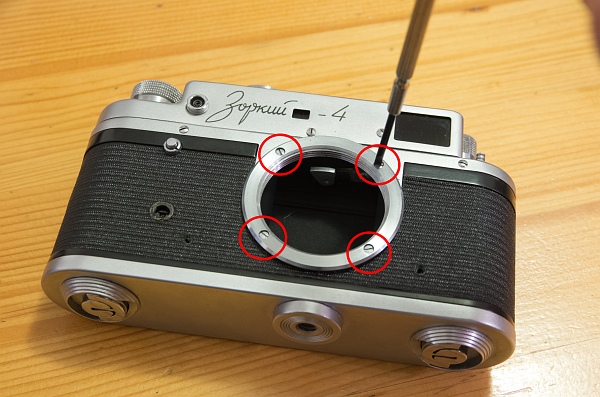
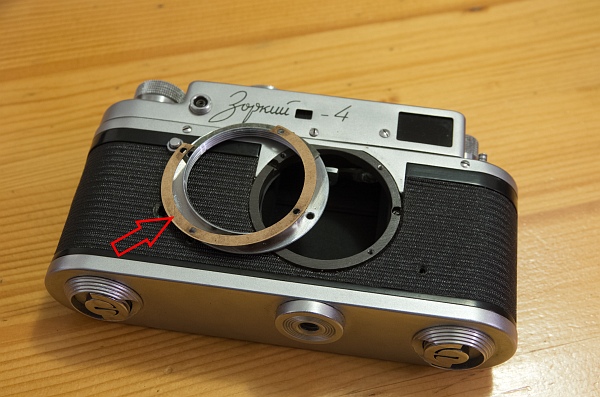
There are usually paper disks under the mount ring for fine adjustment of the flange focal distance. These must be repositioned exactly as found during subsequent installation.
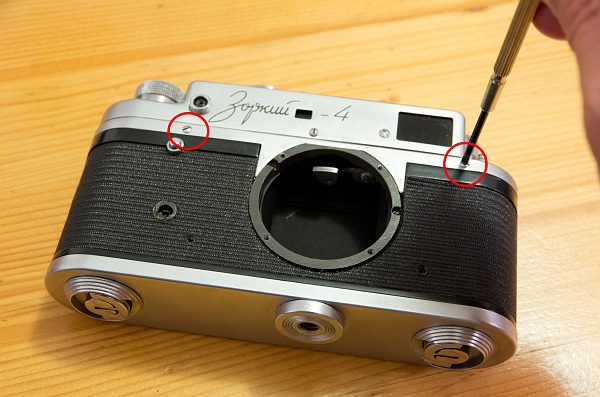
Now remove all the remaining housing screws that hold the housing in place. There are usually 2 at the front and 3 at the back.
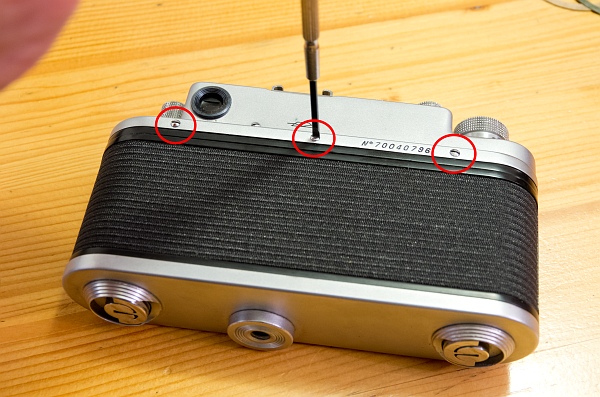
The 3 rear screws.
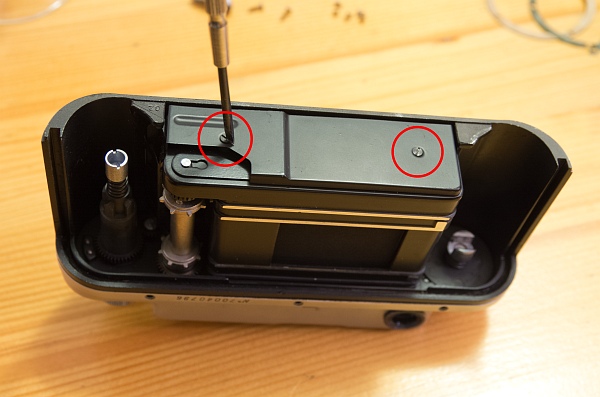
Next, remove the cover on the bottom of the camera. It is attached with 2 screws. There are 2 small spacers underneath, do not lose them!
Now the housing can be removed. If the camera has never been opened before, the housing may be quite tight. Then lever it out with a small screwdriver, which you insert between the front housing wall and the shutter box.
2. Remove interior
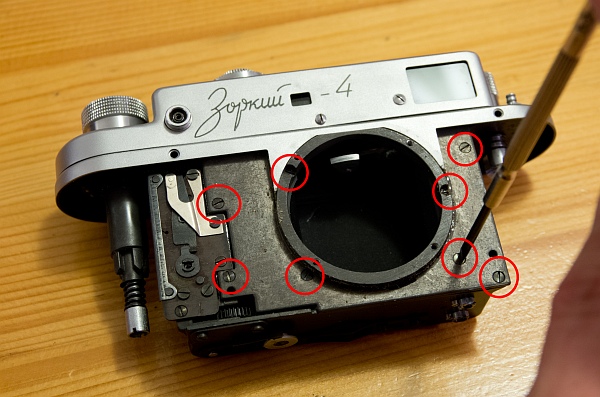
The inner cover plate must be removed. It is fastened with a total of 8 screws, 4 hold the shielding plates inside, the lower 2 of which are shorter.
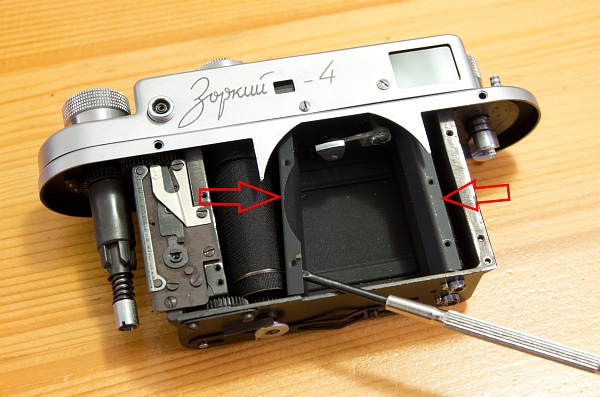
The two shielding plates are now loose and can be removed.
3. Remove cover
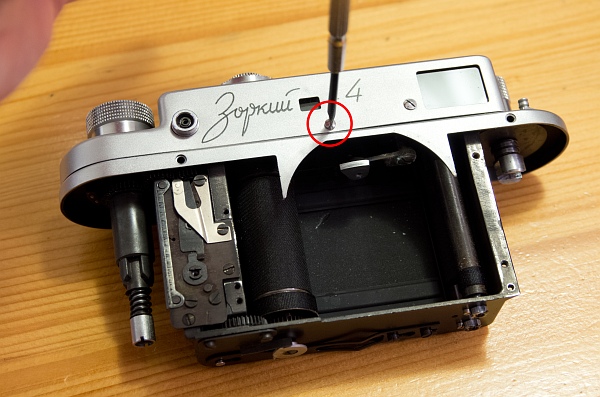
Loosen the 2 or 3 (depending on the model) screws that secure the cover.
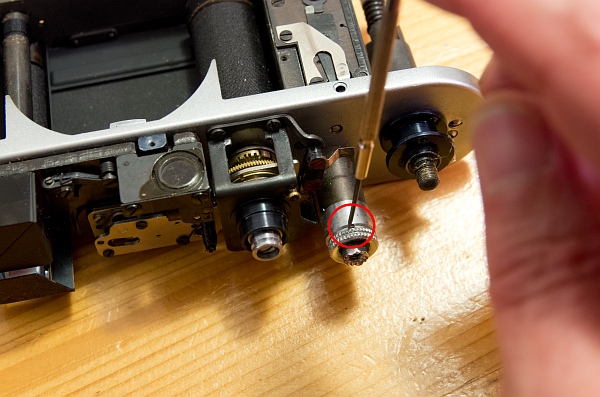
Tension the shutter, loosen the grub screw in the tensioning knob (bottom) and turn it counterclockwise. Hold the gear wheel located under the inside of the tensioning knob and turn the knob counterclockwise.
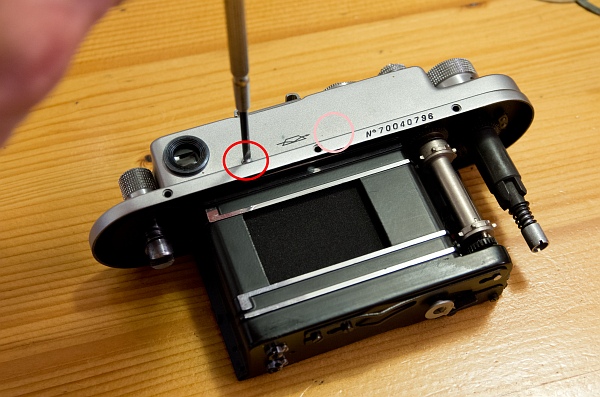
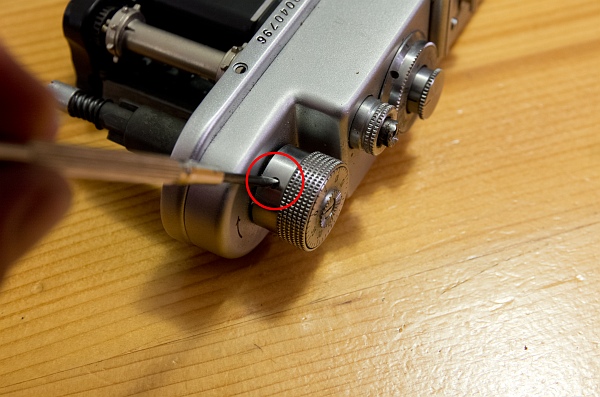
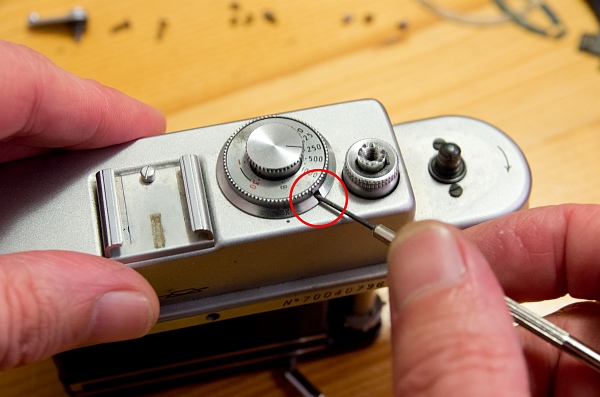
Turn the flash delay under the speed dial clockwise as far as it will go and loosen the small grub screw inside (left).
Now the knob for setting the shutter speed must be removed. It is attached with 2 small grub screws, after loosening the screws it can simply be removed upwards (bottom left).
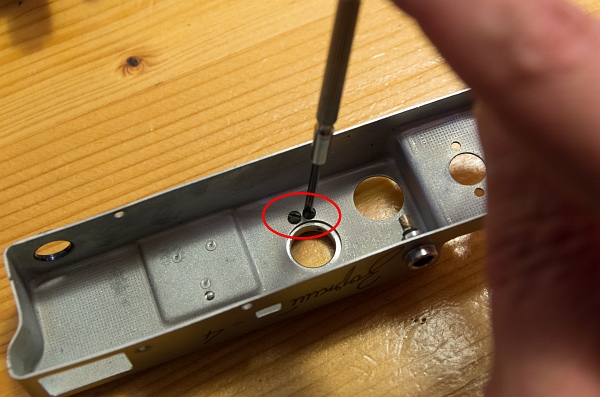
The only thing missing are the two screws that have come out from under the tensioning knob. After removing the screws, the cover can be taken off (bottom).
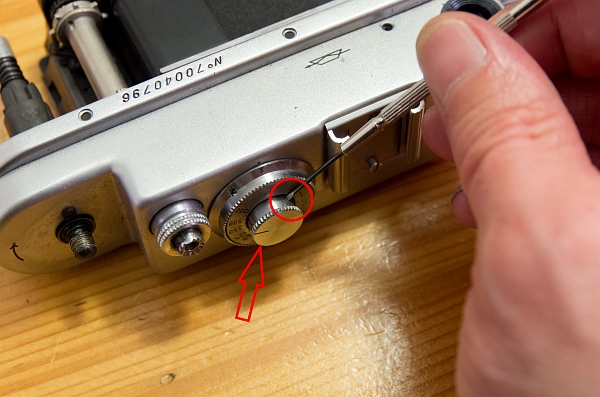
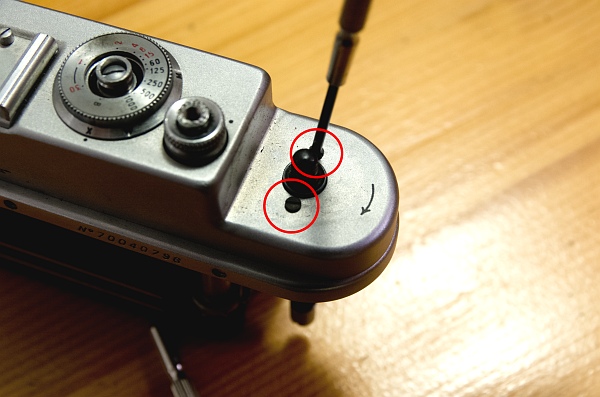
4. Remove other parts
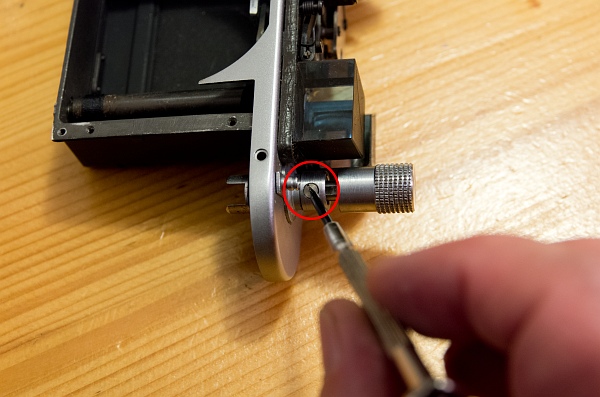
The rewind crank does not have to be removed, but it is recommended for cleaning purposes.
The knurled ring around the shutter release can also remain in place, and the timer disk does not necessarily have to be removed. But while you're at it, you can also clean everything.
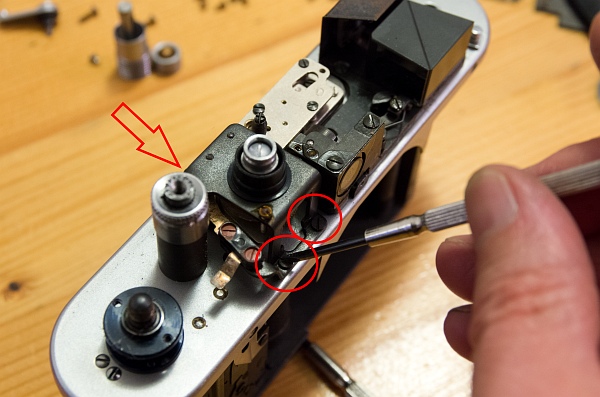
To gain better access to the moving parts, the flash delay assembly should be removed. 3 screws must be loosened for this.
5. Cleaning
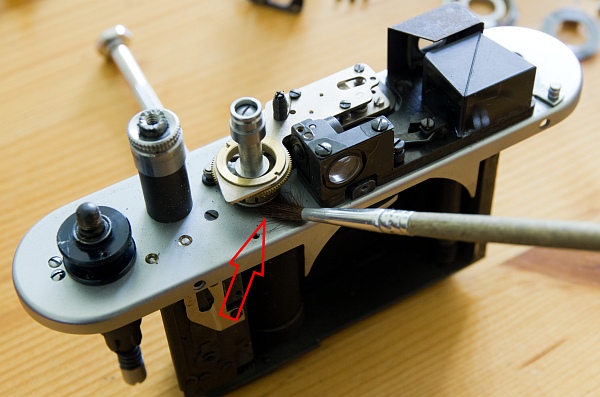
Use a brush and lighter fluid to clean the parts that move when the trigger is released. To do this, turn the winding knob back on.
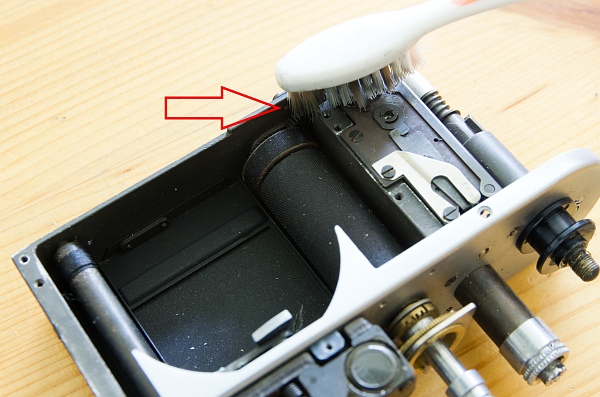
A toothbrush and lighter fluid are ideal for cleaning the gear wheels at the bottom of the housing. After cleaning, lubricate the gears with a little resin-free oil (e.g. sewing machine oil). Less is more here!