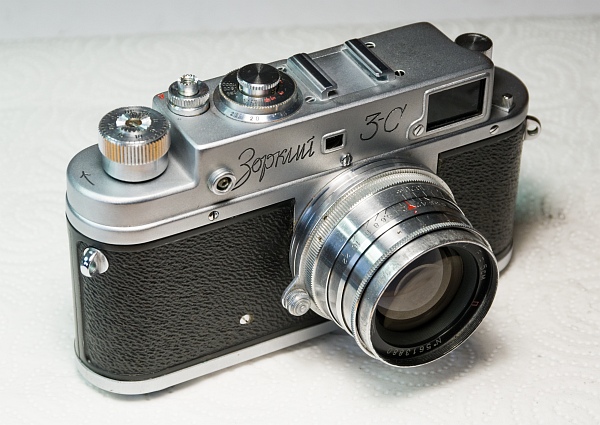
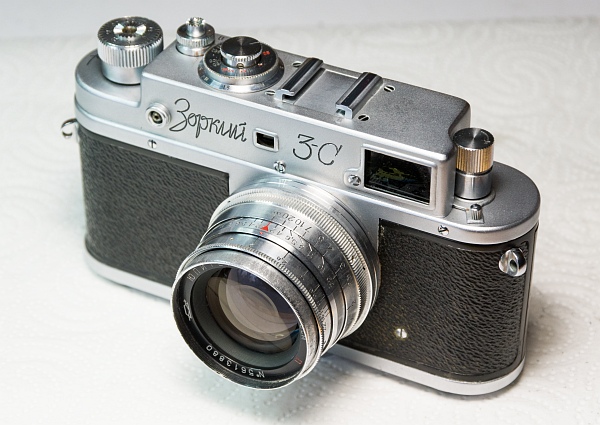
1. Status quo
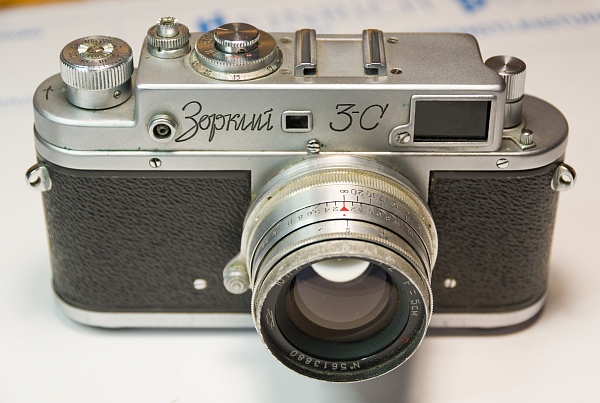
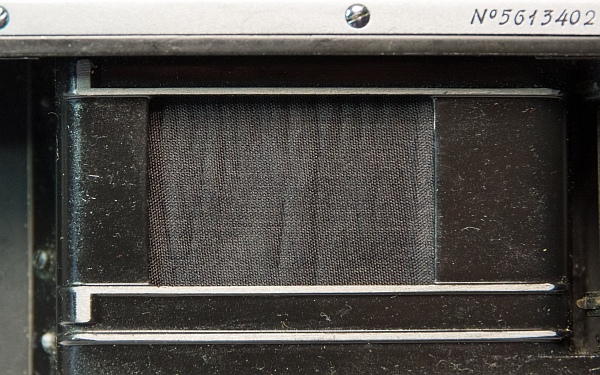
2. Disassembly
So let's start taking it apart. As always, we'll begin by removing the cover.
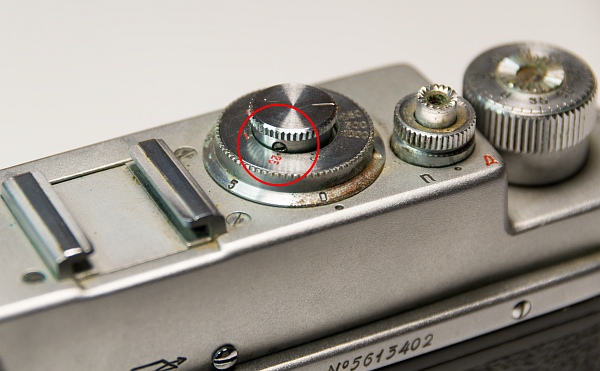
The grub screws on the speeds knob, the rewind lock, the flash delay disc, and the winding knob must be loosened. The rewind lock and winding knob can then be unscrewed. If the winding knob is very tight, care must be taken to hold the gear wheel in place so as not to overstretch the spring that prevents the curtain from running back when winding (left).
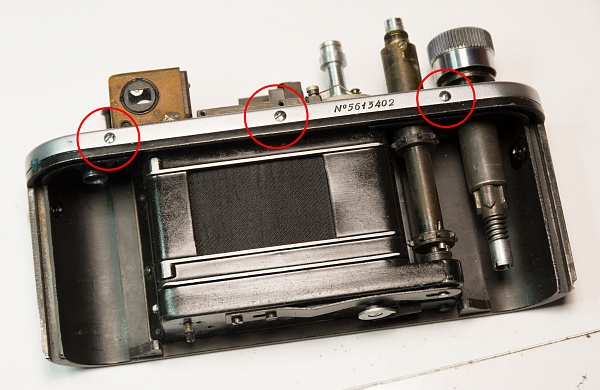
Then remove the two screws under the winding knob (bottom).
After removing the 4 chrome screws on the front and back, the cover can be removed. There is usually quite a lot of dirt underneath, in this case there was a relatively large amount of sand. So the camera had probably been to the beach quite often (bottom).
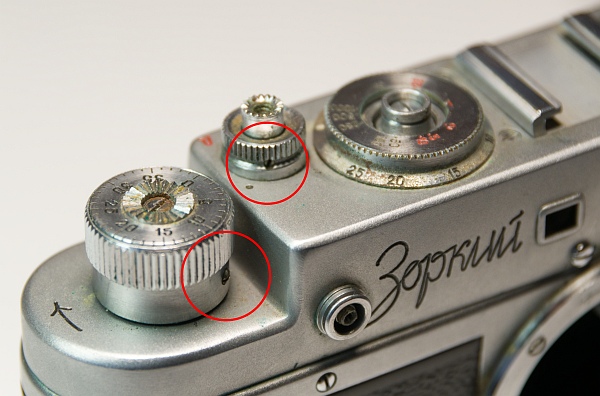
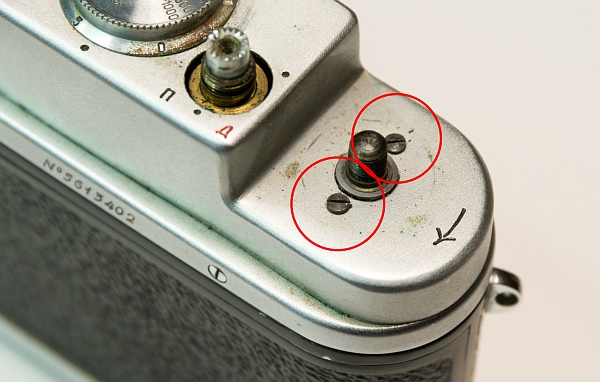
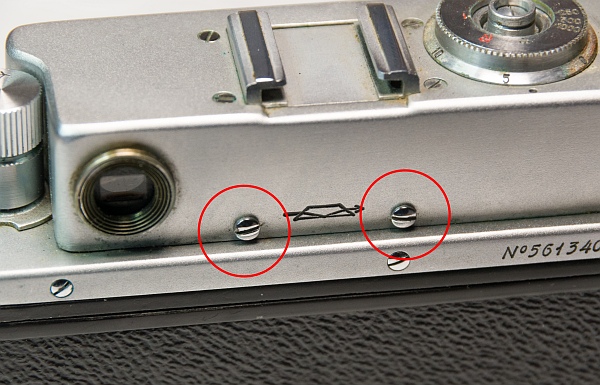
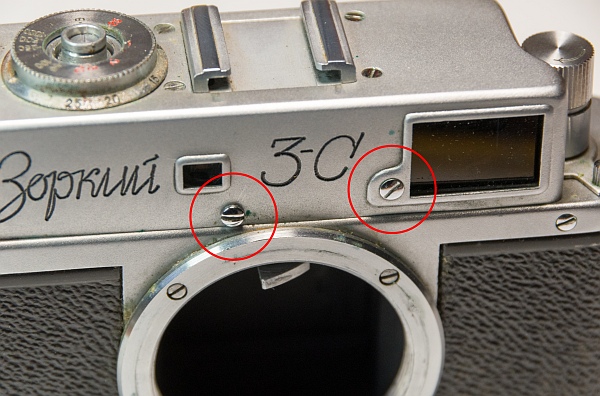
We also need to remove a few parts from under the cover.
The two screws that hold the disc for the exposure time and flash delay should be removed. One of the screws was missing here (left).
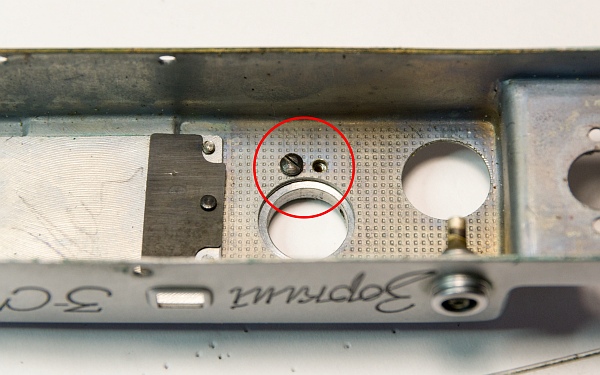
The flash delay frame is held in place by three screws and must be removed in order to access the long-exposure mechanism (bottom left).
Two screws hold the cover of the diopter adjustment lens in place. One screw was missing here, the other was completely rusted shut (bottom).
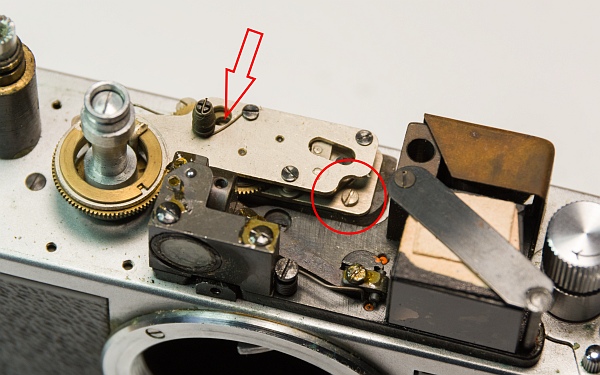
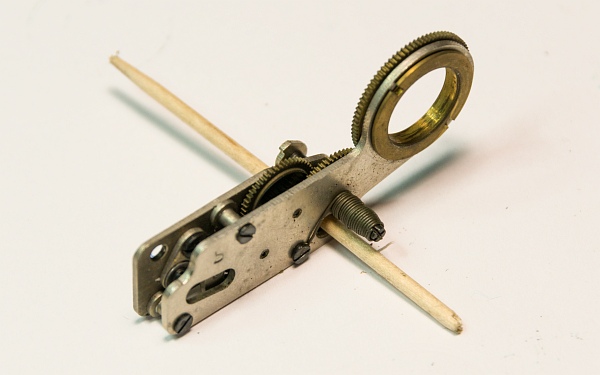
The slow shutter mechanism is held in place by two screws; the left one can only be accessed with a bit of fiddling. When removing it, it is essential to ensure that it does not run down, otherwise you will have to turn it back into the correct position (bottom left).
It is therefore best to secure it with a toothpick (at the very bottom).
We now also remove the rewind crank.
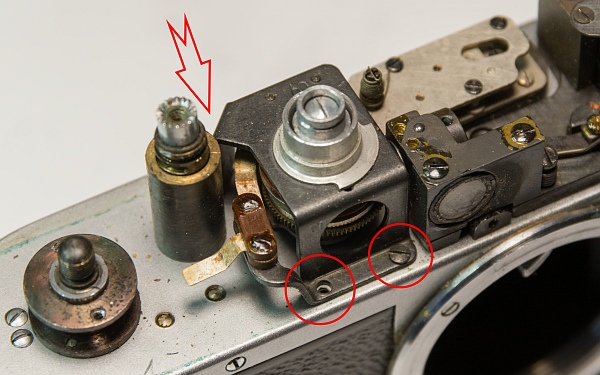
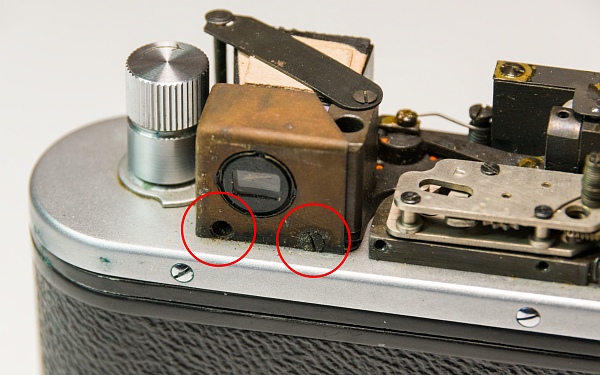
We also need to remove a few parts from the underside.
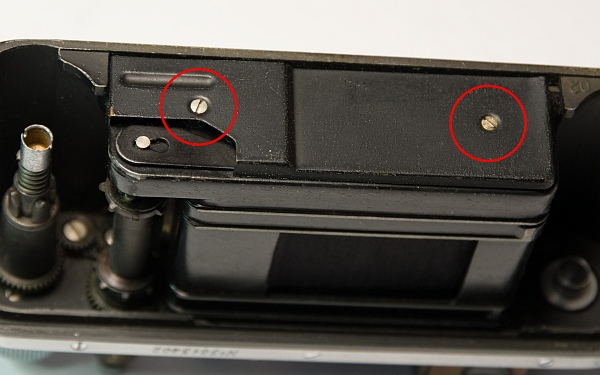
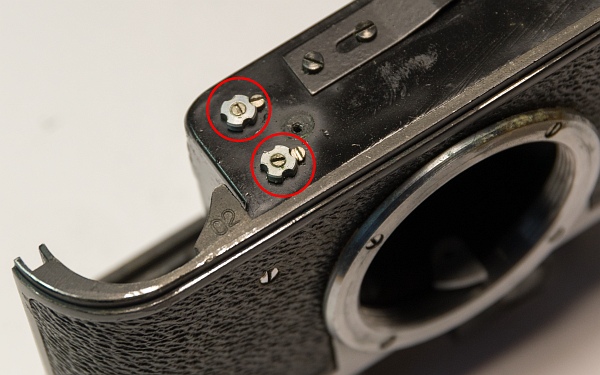
The lower cover (2 screws and 2 spacers) covers the tension screws and the release spring (left).
The nuts on the tension springs are held in place by 2 small screws. Once the small screws have been removed, the springs usually relax by themselves. If this does not happen, hold the nut in place with pliers and loosen the inner screw (left-hand thread!). The springs will then usually relax (bottom left).
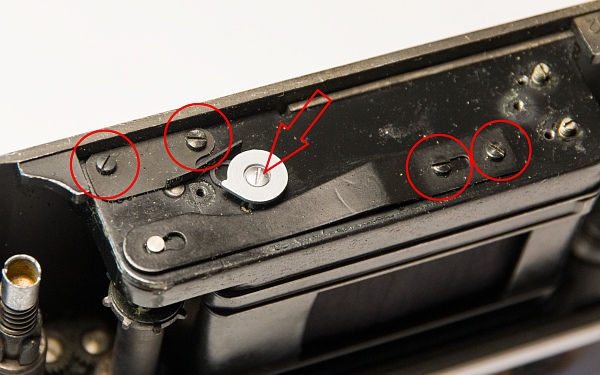
Now remove the brake plate of the first curtain (left), the "brake disc" for the first curtain (arrow), which sits on the large drum, and the release spring. When removing the release spring, a small threaded plate will fall out (bottom).
3. Remove the housing
The lens mount, housing, and inner cover must be removed.
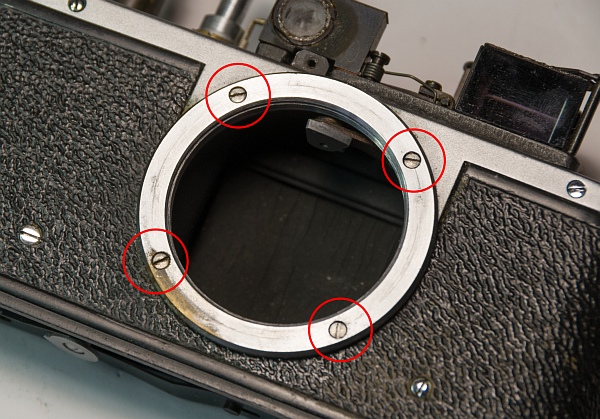
The 4 screws on the lens mount must be removed (left).
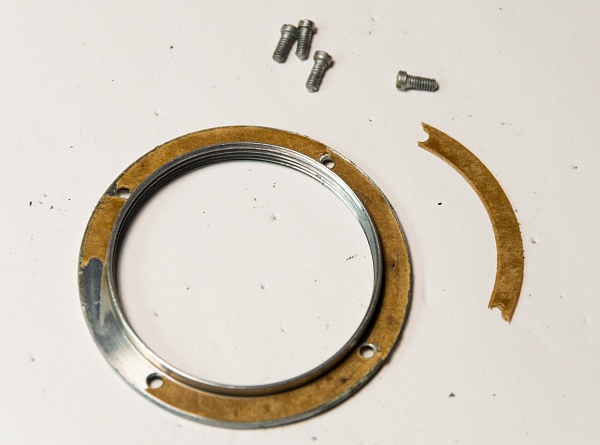
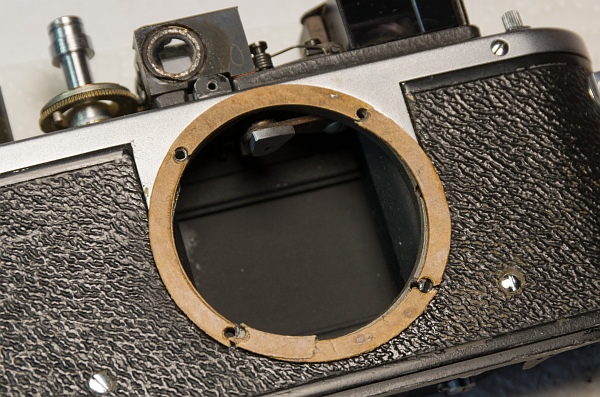
In most cases, wax paper discs will be revealed. These are used to precisely adjust the flange focal distance to 28.8 mm. If they are missing, it is often a sign that someone has not reinstalled them... (bottom left).
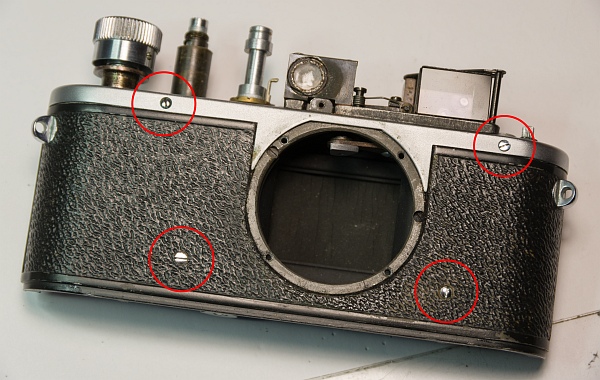
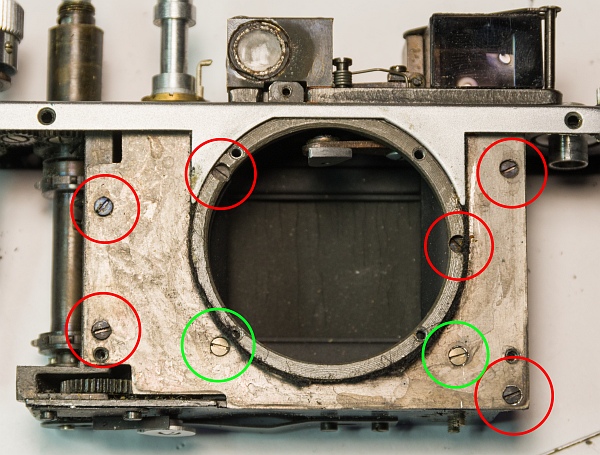
Now remove the 7 screws on the front and back and pull off the housing. It may be quite tight (bottom).
Underneath is the inner cover plate, which is held in place by 8 screws. Once the screws have been removed, the plate can be taken out. The two screws marked in green are shorter and must be replaced in exactly the same position when reassembling (bottom).
Then remove the two cover plates next to the shutter rollers.
4. Remove shutter
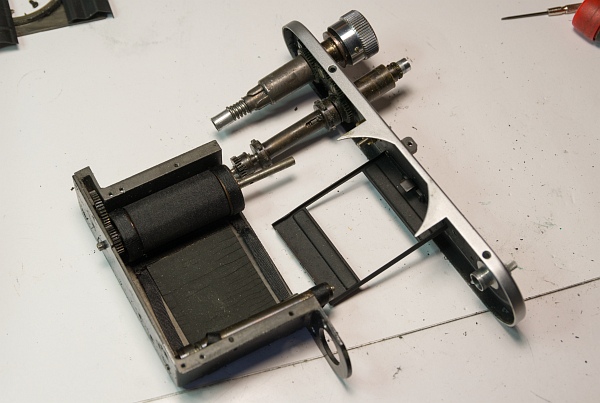
To remove the shutter, the camera must be almost completely disassembled. Unlike the Zorki 1, the rangefinder must also be removed in order to access all of the screws.
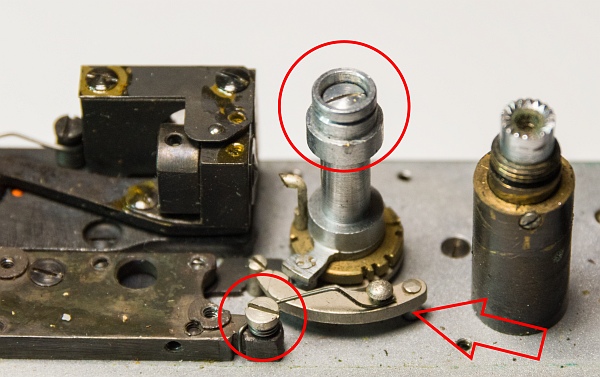
First remove the speed control lever. A spring will appear under the large screw. Also remove the spring that holds the speed delay lever and the lever itself (left).
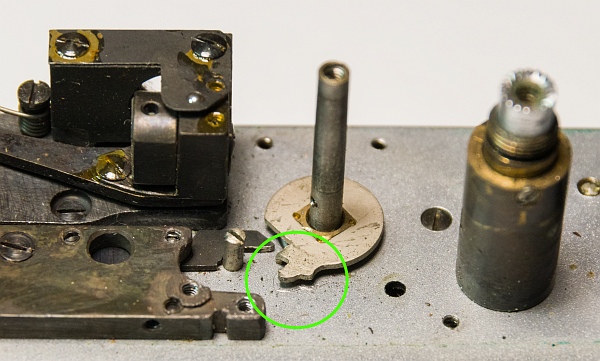
Underneath, you will see the disc with the notches for the different speeds. It is held in place by a long grub screw. The disc itself can be very tight and sometimes needs to be levered off. Be careful not to scratch the housing! (bottom left)
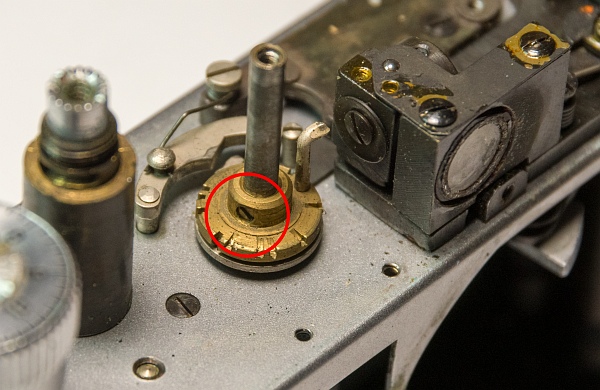
The green circle shows the position of the driver when the camera is cocked. Mark this position with a pen or by making small scratches. When reinstalling the shutter, it must be in the same position (bottom).
Now the rangefinder has to be removed.
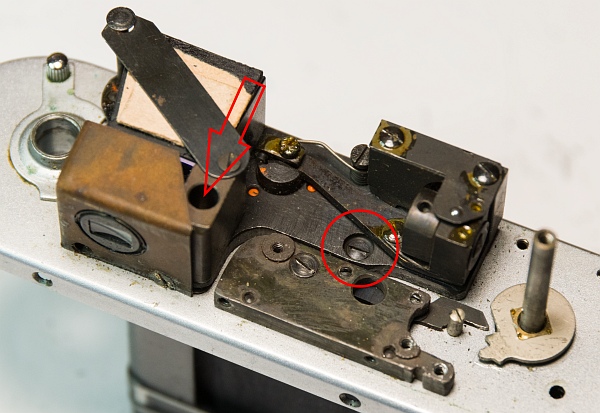
Two screws hold the rangefinder in place from above. The left one is a bit tricky to reach (left).
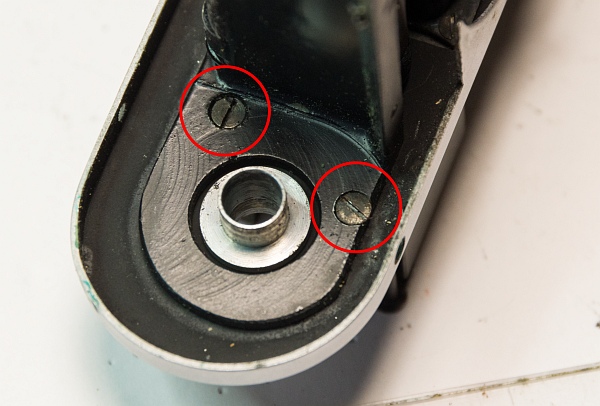
At the bottom, the two large screws hold both the rangefinder and the shutter housing in place. Then the rangefinder can be removed as a whole with a little fiddling (bottom left).
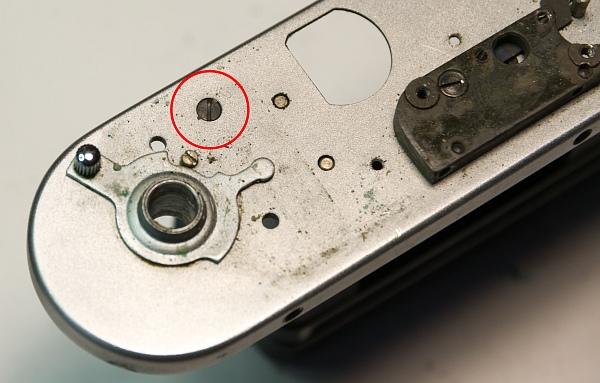
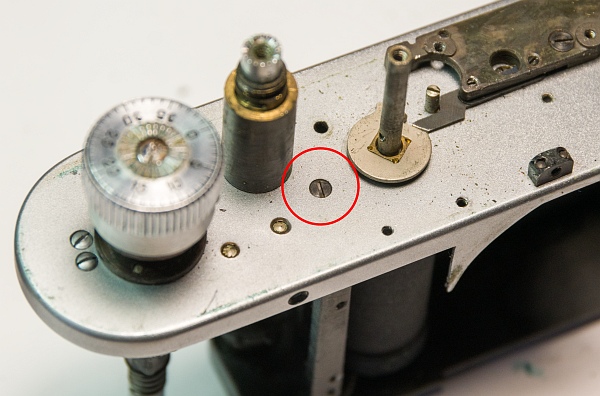
A hidden screw that holds the shutter in place is revealed (bottom). After removing this and another screw (bottom left), the shutter can be removed.
5. Remove further parts
The winding mechanism is often stiff and dirty and must be disassembled for cleaning and gear maintenance.
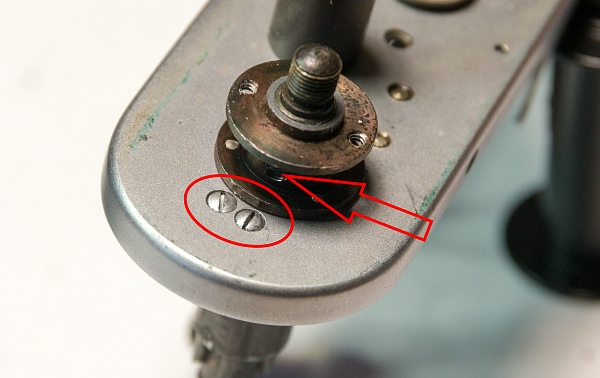
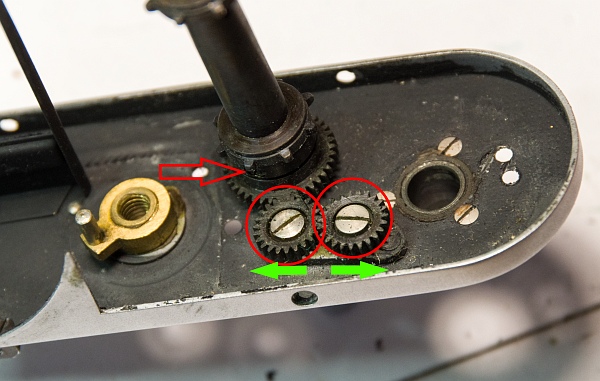
After removing these three screws, you will see the winding mechanism. The individual parts can be seen here (left).
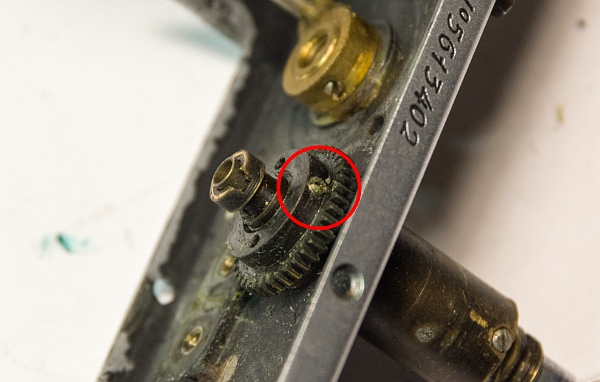
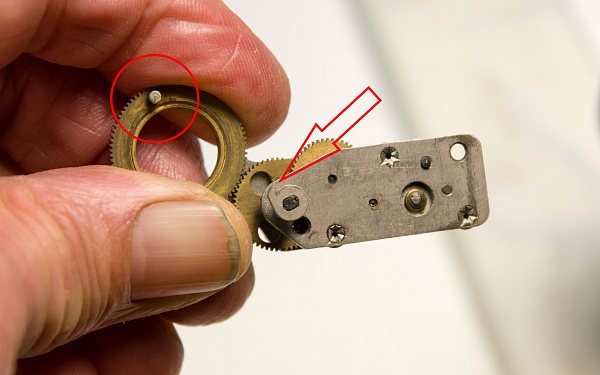
The two gears should be removed and cleaned. The left one has a left-hand thread, the right one a normal right-hand thread. We also remove the grub screw on the spiked roller (arrow) and pull it off (bottom left).
The gear is also secured with a grub screw. However, it was so tight that I couldn't get it off (bottom).
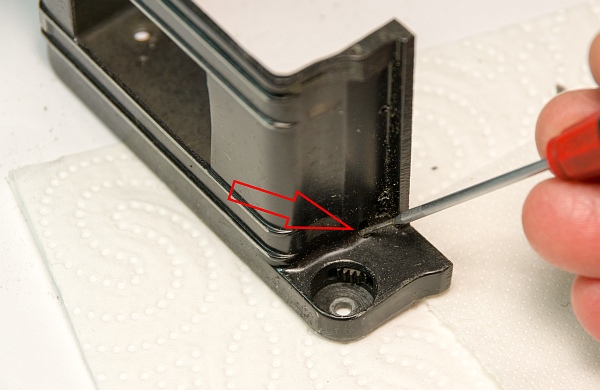
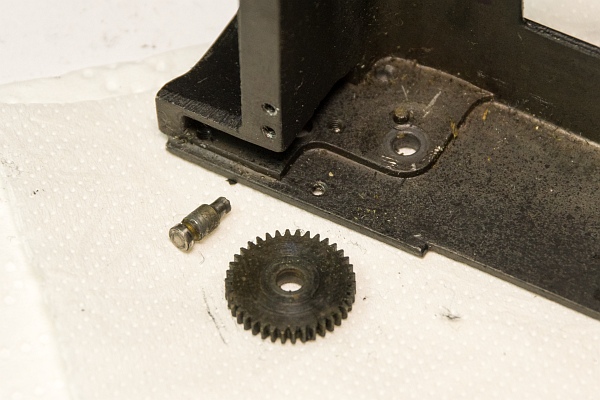
On the shutter box, the pin that holds the lower gear can usually be pushed out quite easily (bottom).
If you clean all these gears and re-lubricate them, the camera will usually wind much more easily after reassembly.
For reassembling the shutter and cutting the cloths to size, please refer to here. The process is identical and does not need to be repeated here.
6. Specifics of assembly
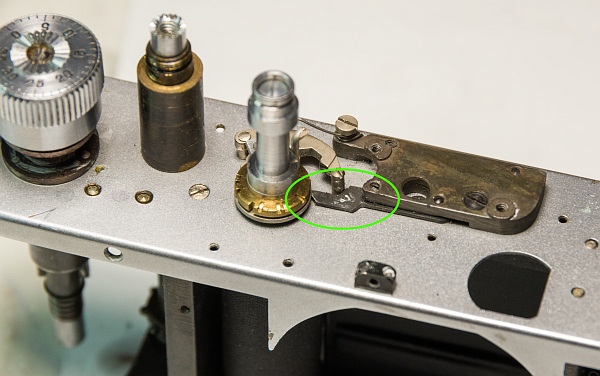
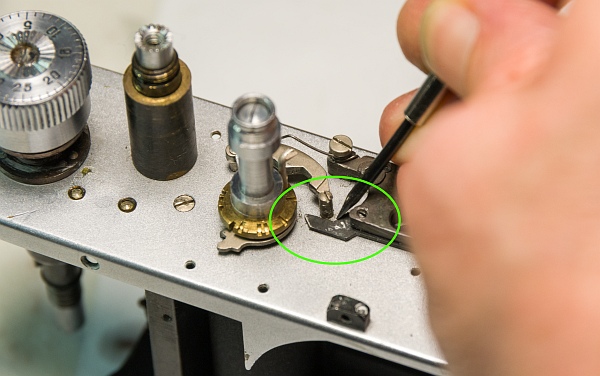
Reinstalling the slow-speed mechanism is a bit of a challenge. So first, a little bit about how it works. When one of the slow speeds is set, the mechanism is tensioned by a driver (lower image in the circle), which causes the nose on the small shoe (arrow below) to change position. The correct position of the driver and the small shoe can be seen.
The change in position causes the small plate (left in the picture) to be pushed out by a spring located under the large black part.
This prevents the second curtain from running. If the shoe now rotates back in the long exposure mechanism against the direction in which it was clamped by the spring force, the driver is pushed back by the nose on the shoe (simulated by the screwdriver at the bottom left) until it releases the second curtain again.
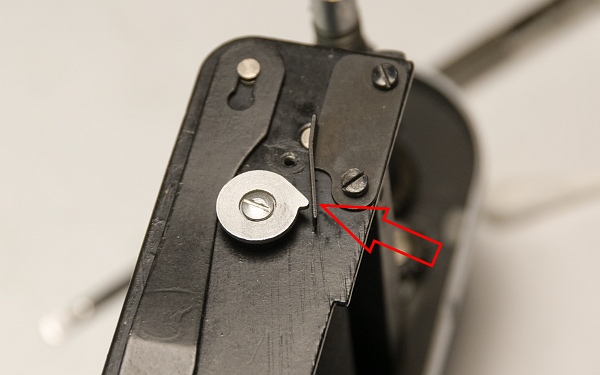
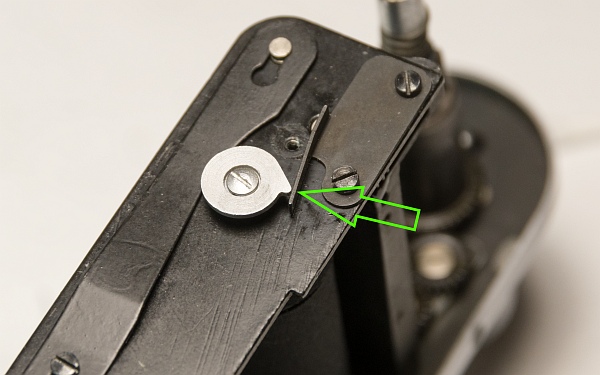
The brake for the first curtain can be seen at the very bottom. The purpose of this is not only to make it run more quietly, but also to prevent it from springing back and causing exposure errors.
At the bottom left (red arrow), the brake is not working. The metal plate is then bent so that the nose of the silver disc (which is attached to the first curtain) pushes the plate slightly to the side when triggered (green arrow).
The wax paper discs must be replaced exactly as they were removed during disassembly.
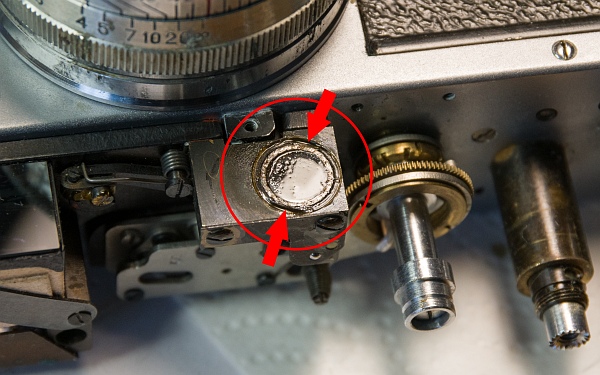
The vertical offset of the rangefinder can be adjusted by loosening the shellac on the eyepiece with alcohol and then turning the eyepiece with a spanner.
7. Lens care
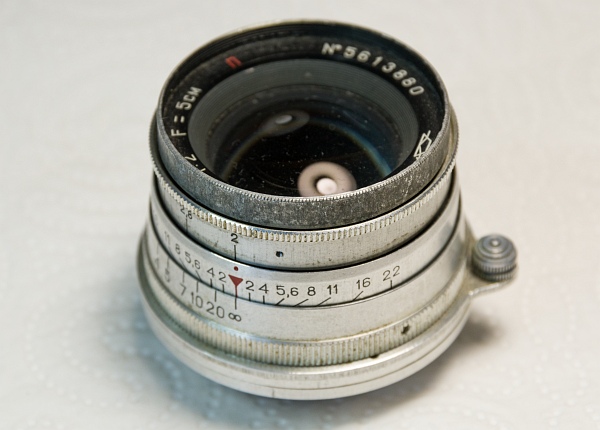
Servicing the lens is described here.
8. Result
All that work was worth it! The camera looks almost like new and runs very smoothly and well.